Top cameras
Dual-lens pan-tilt · 2MP + 2MP · iCSee

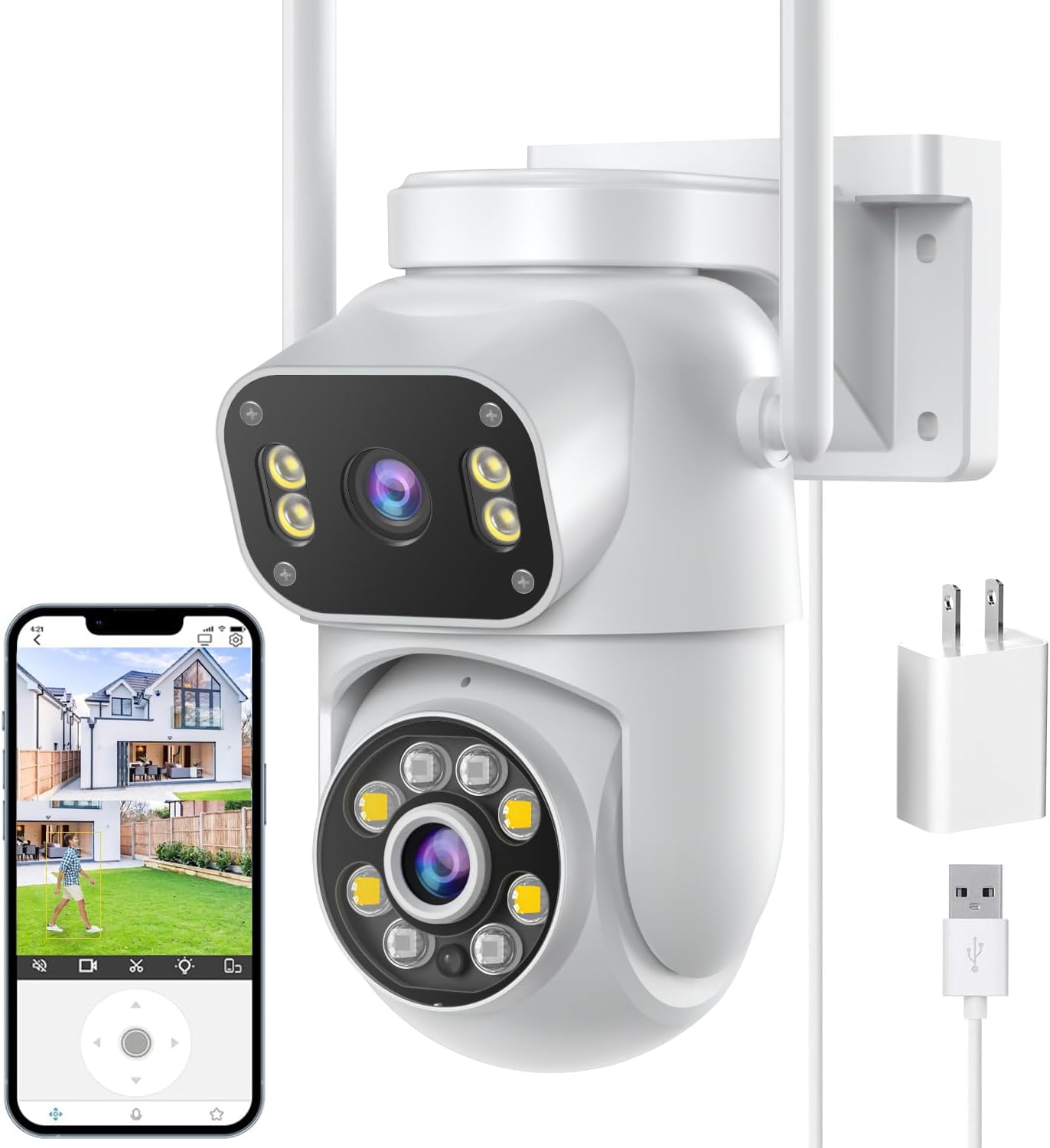
4MP Dual-Lens Pan-Tilt Camera

The simplest way into two-screen iCSee monitoring: a pair of 2MP lenses shown side by side on a body that pans and tilts, with a light-and-voice alarm to warn off whoever sets it off.

  • LensesTwo 3.6mm, 2MP + 2MP
  • Zoom4x digital
  • Movement355° pan, 90° tilt, AI tracking
  • AlarmLight and voice alarm + app push
  • Network2.4GHz Wi-Fi, Bluetooth pairing
  • StoragemicroSD up to 128GB, not included
Fits well for
  • A room, garage or covered porch that needs two views from one camera
  • First-time iCSee owners who want the quickest pairing
  • A light-and-voice warning without a loud siren
Choose another if
  • Exposed outdoor walls: no weather rating is stated
  • Identifying faces far away: each lens is 2MP
  • Wired networking: there is no Ethernet port
See this camera

Cover a room and its doorway with 2MP + 2MP lenses

Two lenses, two screens, one small camera. This pan-tilt model pairs two 3.6mm lenses of 2MP each, adding up to the 4MP on the box, and the iCSee app shows both views at once.

Each lens delivers a 2MP picture, the 1080p class. Two such views from one body cover more than a single 1080p camera can: a room and its doorway, a garage and its side door, a porch and its path.

Where 2MP per lens is enough:

  • Indoor rooms, where people pass within a few metres.
  • A garage or workshop, watching the door and the bench.
  • A covered porch, holding the step and the path to it.
  • A shop counter and the door behind it.

It is not the camera for a long drive or a gate at the bottom of a big garden. At 2MP per lens, a face across a large space turns into a handful of pixels, and 4x digital zoom enlarges those pixels rather than adding detail.

Read the 4MP correctly. The figure is the total of two 2MP lenses, as the maker states. Each screen is a 1080p-class picture, not a 4MP one. The resolution guide shows how that compares with 3MP and 4MP lenses.

It pans 355° and tilts 90°, so the moving lens can look almost all the way around its mount. AI motion tracking steers it after anything that moves through the view, and both screens keep recording while it turns.

Both lenses record together to one microSD card, which comes separately. Order one with the camera, up to 128GB, if you want local recording.

Camera sheet

Lens, sensor and power

SpecValue
Camera typePan-tilt (PT)
LensesTwo, 3.6mm
Resolution4MP total: 2MP + 2MP
Live viewTwo screens at once
Zoom4x digital
Pan / tilt355° / 90°
Auto-trackingAI motion tracking
Night visionFull-colour, intelligent and infrared modes
AlarmLight alarm, voice alarm, app push
AudioTwo-way: built-in microphone and speaker
Wireless2.4GHz Wi-Fi; Bluetooth pairing
StoragemicroSD up to 128GB (not included); cloud
PowerLow-voltage adapter, included
MountingWall
Weather ratingNot stated
CertificationCE
In the boxCamera, power adapter, mounting screw kit, user manual
AppiCSee

Warn a visitor off with the light and voice alarm

When motion triggers it, this camera does three things at once. A light flashes, a voice alarm sounds from the speaker, and a push notification lands in the iCSee app.

The light and voice alarm is a gentler deterrent than a siren. It lets an unexpected visitor know the camera has seen them without waking the street, which suits porches, garages and shared buildings.

Ways to use it well:

  • Switch the alarm on only for the hours when no one should be there.
  • Where the app offers a detection area, draw it so a busy pavement at the edge of the view does not set it off.
  • Pair the alarm with the talk function to speak to the visitor from live view.
  • Leave the push alerts on even when the alarm is off, so you still hear about movement.

Night vision offers three modes:

  • Full colour, lighting the scene for a colour picture.
  • Infrared, black-and-white and invisible, for quiet rooms.
  • Intelligent, infrared by default, switching to colour when something moves.

The intelligent mode works well with the alarm. The lights come on at the moment of motion, which both improves the recording and tells the visitor they are being watched.

Motion, not only people. The maker describes AI motion tracking with light and voice alarms on motion. Expect some alerts from pets or moving shadows, and narrow the detection area if they become frequent.

The 4x digital zoom is useful in live view, to check what someone is holding at the door. It is a crop of a 2MP picture, so detail softens quickly as you zoom in.

In the iCSee range

Where it stands among iCSee cameras

iCSee camera models by type, September 2026. Highlighted: 4MP Dual-Lens Pan-Tilt Camera.

Pair over Bluetooth and mount it out of the rain

Bluetooth pairing makes setup quicker than the QR code route. The phone finds the camera nearby and hands it the Wi-Fi details, and the camera joins your 2.4GHz network.

  1. Install iCSee and allow Bluetooth and location access on the phone.
  2. Plug the camera into its adapter near where it will be mounted.
  3. Add a device in iCSee and pick the camera when the app finds it over Bluetooth.
  4. Enter the 2.4GHz Wi-Fi password and wait for it to connect.
  5. Put a microSD card in and run the format from the app.
  6. Fix it to the wall with the supplied screw kit and check both screens.

If Bluetooth pairing does not start, the setup guide covers the QR code method and the router settings that block it.

The maker gives no waterproof rating for this camera and lists wall mounting only. Treat it as an indoor or sheltered camera:

  • Indoors on a wall or shelf, anywhere with an outlet.
  • Under a deep porch roof, out of driving rain.
  • Inside a garage, looking at the door from within.

For an exposed wall, choose a camera with a stated IP66 rating instead, such as the white 10x zoom dome from the same maker.

A covered porch is the limit of where it belongs outside. Keep the adapter and its plug indoors or in a weatherproof box, and run the lead so rain cannot follow it back to the socket.

It connects over Wi-Fi only, with no Ethernet port. If the signal at the mounting spot is weak, move the router or add a mesh point before mounting; the offline fixes list the usual causes of dropouts.

Other ways to cover it

Three other cameras

Stay at 2MP per lens or step up to the 10x dome

This is the entry point among dual-lens iCSee cameras. Stepping up buys more pixels per lens, a weather rating and wired networking, and it is worth knowing which of those your spot needs.

CameraPer lensWeather ratingExtra
This 4MP pan-tilt2MPNot statedBluetooth pairing, voice alarm
10x zoom dome8MP totalIP66RJ45, 10x digital zoom
SDTNOVA dual-lens3MPIP665GHz Wi-Fi
Siosaxdot Q6Not statedIP66Alexa and Google Assistant

Stay with this camera for rooms, garages and covered porches where subjects pass close and a simple Bluetooth setup appeals. Step up to the 10x dome, from the same maker, for an exposed wall or an RJ45 backup. The SDTNOVA suits homes where 5GHz is the stronger band, and the Siosaxdot Q6 works with voice assistants.

The step up costs more, and for many rooms it buys little. A 2MP picture of a hallway three metres long shows who came in as clearly as a 4MP one would on a phone screen. The extra pixels start to pay only when faces sit further away or when you zoom into recordings after the event.

Where the spot is outdoors, the answer changes. A camera with a stated IP66 rating is the safer choice for any wall that takes rain, whatever the resolution, and the 10x dome and the SDTNOVA both carry one.

Before ordering, check:

  • that the spot is indoors or under solid cover;
  • a power point close enough for the adapter;
  • a 2.4GHz signal where it will hang;
  • a microSD card ordered alongside, since none is included.
Installer answers

Setup and storage questions

Is each lens 4MP?

No, 2MP each. The 4MP figure is the total of the two lenses, so each screen is a 1080p-class picture.

Is it waterproof?

No weather rating is stated. Use it indoors or under solid cover.

How does it pair?

By Bluetooth from the iCSee app, then it runs on 2.4GHz Wi-Fi. The QR code method works as a fallback.

What happens when it detects motion?

It can flash a light, play a voice alarm and send a push notification, and the moving lens tracks what it detected.

Does it ship with a memory card?

No. It takes a microSD card up to 128GB, sold separately, or cloud storage.