Top cameras

iCSee Camera App: Download, Login, Live View and Sharing

One free phone app runs every camera on the iCSee platform: live view, two-way talk, playback from the card and alerts. Set it up once with care, and share cameras with family without ever handing over your login.

Reviewed September 2026
Quick answer

Download iCSee from the App Store or Google Play, register with an email address or phone number, and add each camera with the plus icon. Live view, talk-back, microSD playback and human alerts cost nothing; cloud storage is an optional paid extra. Share a camera with the app's share code so each relative signs in with their own account.

  • The app password and the camera's device password are two different things
  • XMEye can open many of the same cameras; Yoosee and iCSee Home cannot
  • Ads can be switched off under Me, then Tool

Install iCSee from the official stores and sign in

iCSee is a free app from Xiongmai, the Chinese firm behind the camera boards many brands build on. Get it from the App Store on an iPhone, or from Google Play on an Android phone, and avoid copies from other download sites.

  1. Search for iCSee and confirm who published it before you tap install.
  2. Open it and register with an email address or phone number; a code arrives to confirm it.
  3. If the app asks for a country or region, pick your own, since it decides which server holds the account.
  4. Allow notifications, or motion alerts never reach the lock screen.
  5. Allow location access, which the phone needs before the app can read your Wi-Fi name during pairing.

Two passwords matter from here on. The app password guards your account and every camera in it. The device password guards one camera's video stream and is what a recorder or PC asks for.

A forgotten app password is a Forgot password tap and an emailed code away. Resetting the camera does nothing for the app login, so try that route first.

Any camera whose box names the iCSee app will join, whatever brand is printed on the housing. That includes the BESDERSEC pan-tilt dome, the GESKS range and most dual- and three-lens models. Before buying another IP camera for iCSee app use, check for three things.

  • The box or description names iCSee, not only a similar-sounding app.
  • The Wi-Fi band matches your router, since most models need 2.4GHz.
  • The camera has the lens count you want to see side by side in live view.

Pairing each camera is walked through, one step at a time, in the setup and Wi-Fi guide.

Settings sheet

iCSee next to the apps it gets confused with

AppMade byOpens which camerasWorks with iCSee cameras?
iCSeeXiongmai (XM)Cameras sold for iCSeeYes
XMEye and XMEye ProXiongmai (XM)XM-based cameras and recordersOften; several PoE models name both apps
VMS for WindowsXiongmai (XM)XM-based cameras on the local networkYes, for viewing on a PC
YooseeGwellCameras sold for YooseeNo, a separate platform
iCSee HomeA separate appCameras sold for iCSee Home, such as some pet camerasNo, despite the similar name

Compatibility follows the app each maker names for its camera. A camera box that lists both iCSee and XMEye can be opened in either, though settings may differ slightly.

Read the live view screen on one, two and three lenses

Tap a camera tile and iCSee camera live view opens with the controls underneath. The layout shifts a little between app versions, but the same handful of buttons does most of the work.

ControlWhat it does
MicrophoneHold to speak through the camera's speaker
SpeakerMute or play the camera's sound
Camera iconSave a snapshot to the phone
Record iconRecord a clip straight to the phone
HD or SDSwitch between the full and the lighter stream
Direction padPan and tilt a PTZ head, or set presets

Pinch or spread two fingers on the picture to zoom digitally. On the 3-lens Anssipo and the 6MP 3-lens model, the zoom buttons drive the optical lens too, so detail holds up better than a plain pinch.

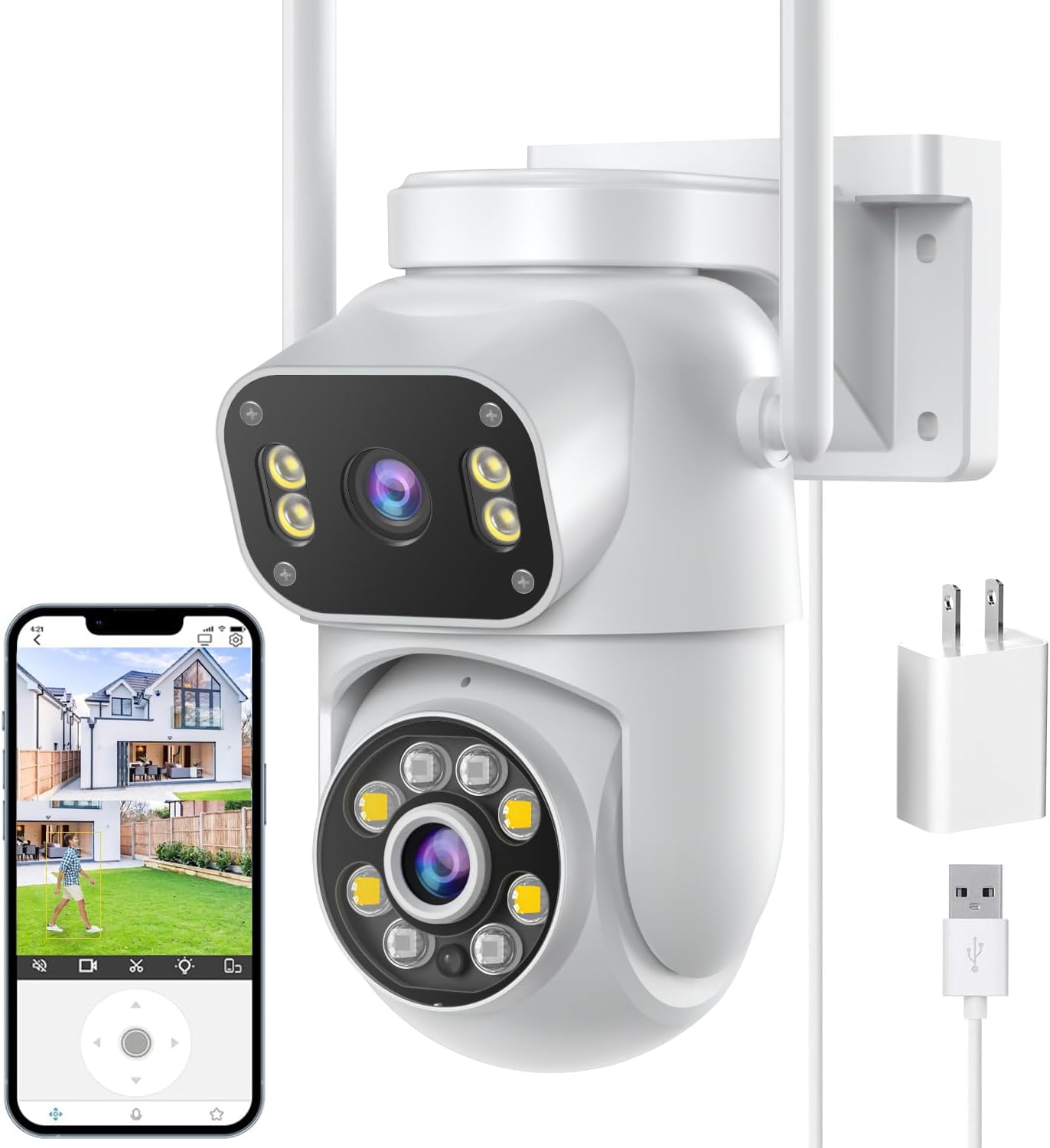
Multi-lens cameras stack their pictures. The SDTNOVA dual-lens linkage PTZ shows the fixed lens on top and the pan-tilt lens below, and touching a point in the upper view swings the lower lens to lock onto it.

  • Playback: open the timeline to scrub microSD recordings by hour, then download a clip to the phone as evidence.
  • Presets: save the gate, the drive and the door as positions, then let a PTZ cruise between them.
  • Full-screen viewing: rotate the phone for a full-screen picture with the pad overlaid.

Choose SD on a weak mobile signal. The picture loads faster, and the camera keeps recording at full resolution to its card either way.

Camera vs camera

How each camera looks in the app

BESDERSEC A6 1080p Pan-Tilt Camera BESDERSEC A6 1080p Pan-Tilt Camera SDTNOVA Dual-Lens Linkage PTZ Camera SDTNOVA Dual-Lens Linkage PTZ Camera Anssipo 3-Lens 8x Hybrid Zoom PTZ Camera Anssipo 3-Lens 8x Hybrid Zoom PTZ Camera 6MP 3-Lens Optical Zoom PTZ Camera 6MP 3-Lens Optical Zoom PTZ Camera 1080p PTZ Baby Monitor with 2.8-inch Screen 1080p PTZ Baby Monitor with 2.8-inch Screen
TypePan-tilt cameraMulti-lens cameraMulti-lens cameraMulti-lens cameraIndoor camera
Resolution1080p (2MP)6MP (3MP + 3MP)3MP6MP1080p (2MP)
Lenses1 lens2 lenses3 lenses3 lenses1 lens
Pan & tiltYesYesYesYesYes
PowerPlug-in adapterPlug-in adapterPlug-in adapterPlug-in adapterPlug-in adapter
Wi-Fi2.4GHz2.4 + 5GHz2.4GHz2.4GHz2.4GHz
Zoom——8x hybrid4x optical—
See this camera See this camera See this camera See this camera See this camera
Camera sheet

Full camera sheets for the top three

BESDERSEC A6 1080p Pan-Tilt Camera
Model
BESDERSEC A6 (BES-XMHX)
App
iCSee
Resolution
1080p Full HD, 1920 × 1080
Lenses
1
Pan / tilt
355° horizontal, 90° vertical
Zoom
Digital
Night vision
4 infrared LEDs + 4 white LEDs; colour or black-and-white
Audio
Two-way, built-in microphone and speaker
Alerts
Motion detection, snapshot pushed to phone, email or FTP
Deterrent
Light flash and sound alarm on motion
Wi-Fi
2.4GHz, 5dBi antenna
Local storage
microSD card up to 128GB
Setup & specs →See this camera
SDTNOVA Dual-Lens Linkage PTZ Camera
Model
P11
App
iCSee
Resolution
6MP total, 3MP per lens
Lens layout
Fixed upper lens, pan-tilt lower lens
Linkage
Tap the fixed view to aim the pan-tilt lens
Tracking
Human detection; follows the person, then returns to its default point
Zoom
Up to 5x digital
Night vision
Built-in floodlights, full-colour night vision up to 10m
Audio
Two-way, built-in microphone and speaker
Wi-Fi
2.4GHz and 5GHz (grey version: 2.4GHz only)
No-router mode
AP hotspot mode; PTZ control within hotspot range
Local storage
microSD up to 128GB, 24/7 recording
Setup & specs →See this camera
1080p PTZ Baby Monitor with 2.8-inch Screen
Resolution
1080p (1920 × 1080, 2MP)
Lens
3.6mm, 90° field of view
Screen
2.8-inch IPS display on the camera
Video calls
Two-way video; call and hang-up buttons on the base
Pan / tilt
350° / 60°
Detection
Human outlines only, no animal detection
Auto-tracking
Follows a person until they leave the frame
Night vision
Full-colour, infrared and intelligent modes
Low light
0.01 lux minimum illumination
Compression
H.265
Wireless
2.4GHz Wi-Fi with Bluetooth
Storage
Class 10 microSD or cloud
Setup & specs →See this camera

Set human alerts so the phone buzzes for people, not leaves

Motion detection alone reacts to swaying branches, headlights and insects at night. Nearly every camera in the iCSee range adds human detection, and switching it on is the single biggest cut in false alarms.

  1. Open the camera's settings, then its alarm or detection section.
  2. Turn on human detection, and person tracking if the camera pans.
  3. Draw the detection area around the path, not the street or the hedge.
  4. Set sensitivity to medium, then adjust after two or three days.
  5. Add a schedule if you only want pushes at night or while away.

Alerts can do more than ring the phone. The BESDERSEC A6 pushes a snapshot to the app, to email and to an FTP server, and it can flash its lights and sound an alarm at the same moment. The police-light PTZ adds a red-and-blue strobe with a siren.

  • Light alarm: the white lamp flashes when a person is detected, a clear sign they have been seen.
  • Siren or voice: a warning sound or recorded message plays through the speaker.
  • Smart night mode: on GESKS cameras the white light stays off until a person appears, then the picture turns to colour.
Point a siren camera away from neighbours' windows and test it at a sensible hour. A strobe that fires for every passing car trains the whole street to ignore it.

When alerts stop arriving altogether, check the phone's notification permission first, then whether the camera is online; the offline checks cover the second case.

Installer’s choice

Three pictures in one live view

Share a camera by share code, never by password

The iCSee app offers two ways to give someone else access: code sharing and account sharing. Code sharing is the one to use, because the other person keeps their own login and you keep yours.

  1. On your phone, open the camera's settings and choose the share option.
  2. The app displays a QR share code.
  3. The other person installs iCSee, signs up with their own email or phone, and scans that code with the plus icon.
  4. The camera appears in their app, and you can remove them later from your share list.

Account sharing means typing your own username and password into another phone. It works, but anyone with it can delete cameras, change the device password or bind a camera away from you. Keep it for your own second phone or tablet.

Sharing suits a family watching a nursery camera, or a neighbour checking the drive while you travel. GESKS lists multi-user sharing for its single-lens and dual-lens cameras, and the 2.8-inch screen PTZ is built around it.

  • Share only the cameras a person needs; a nanny needs the nursery, not the garden.
  • Remove shared users when they move out or the job ends.
  • Switch off the in-app ads under Me, then Tool, as the SDTNOVA FAQ describes.

Playback from a microSD card needs no subscription, as SDTNOVA's own FAQ says. Cloud storage is an optional paid plan that keeps alarm clips if the camera is stolen; card sizing and formatting sit with the SD card guide.

Drawn out

How many views one camera tile holds

iCSee camera families by lens count, September 2026. Every lens appears as its own picture in live view.

Keep iCSee apart from Yoosee, XMEye and iCSee Home

Security cameras from Chinese factories run on a few big app platforms, and the names blur together. Choosing the wrong one means a camera that simply never shows up when you tap Add Device.

  • XMEye: the older app from the same XM platform. The HIKJBSET 5MP PoE bullet, the 4K PoE bullet and the 2.8-inch screen PTZ all name XMEye alongside iCSee, so either can open them.
  • Yoosee: a separate platform from Gwell, with its own cameras and cloud. A Yoosee camera will not join iCSee, and an iCSee camera will not join Yoosee.
  • iCSee Home: a different app despite the name. Some pet cameras run on it, and they do not appear alongside iCSee cameras.
  • VMS: XM's desktop client for Windows, for watching iCSee cameras on a PC.

In any Yoosee vs iCSee camera app comparison, neither wins in the abstract; the camera decides. Both offer live view, playback, alerts and sharing. Mixing platforms means two apps and two sets of alerts, so buying every camera for one app keeps the evenings simpler.

Watching on a computer goes one of two ways. VMS runs on Windows and finds cameras on the home network, while RTSP and ONVIF let recorders, VLC and Home Assistant pull the stream directly.

Stick to one app per household. Every extra app is another account to protect, another password to remember and another place alerts can go missing.

Stream addresses, ports and PC software are set out on the RTSP and PC viewing guide, and reset steps for a camera bound to the wrong app are with the reset button instructions.

Installer answers

Asked on install day

Is the iCSee app free?

Yes. Live view, two-way talk, alerts and playback from a microSD card cost nothing; only the optional cloud storage plan is paid.

How do I log in to the iCSee camera app?

Your iCSee camera login is the email address or phone number you registered with. If the password is lost, tap Forgot password for a reset code; the camera itself needs no reset.

How do I share an iCSee camera to another phone?

Open the camera's share option to display a QR code, and have the other person scan it from their own iCSee account. You can remove them from the share list at any time.

What is the difference between Yoosee and iCSee?

They are separate platforms from different companies, each with its own cameras. A camera made for one does not join the other.

Can I use XMEye instead of iCSee?

Often, yes, because both come from Xiongmai. Several PoE cameras name both apps; check the box for your model.

How do I turn off ads in the iCSee app?

Tap Me, then Tool, and switch the ads option off, as the SDTNOVA camera FAQ describes.

Next task

Keep the system running

More cameras

More cameras for the iCSee app