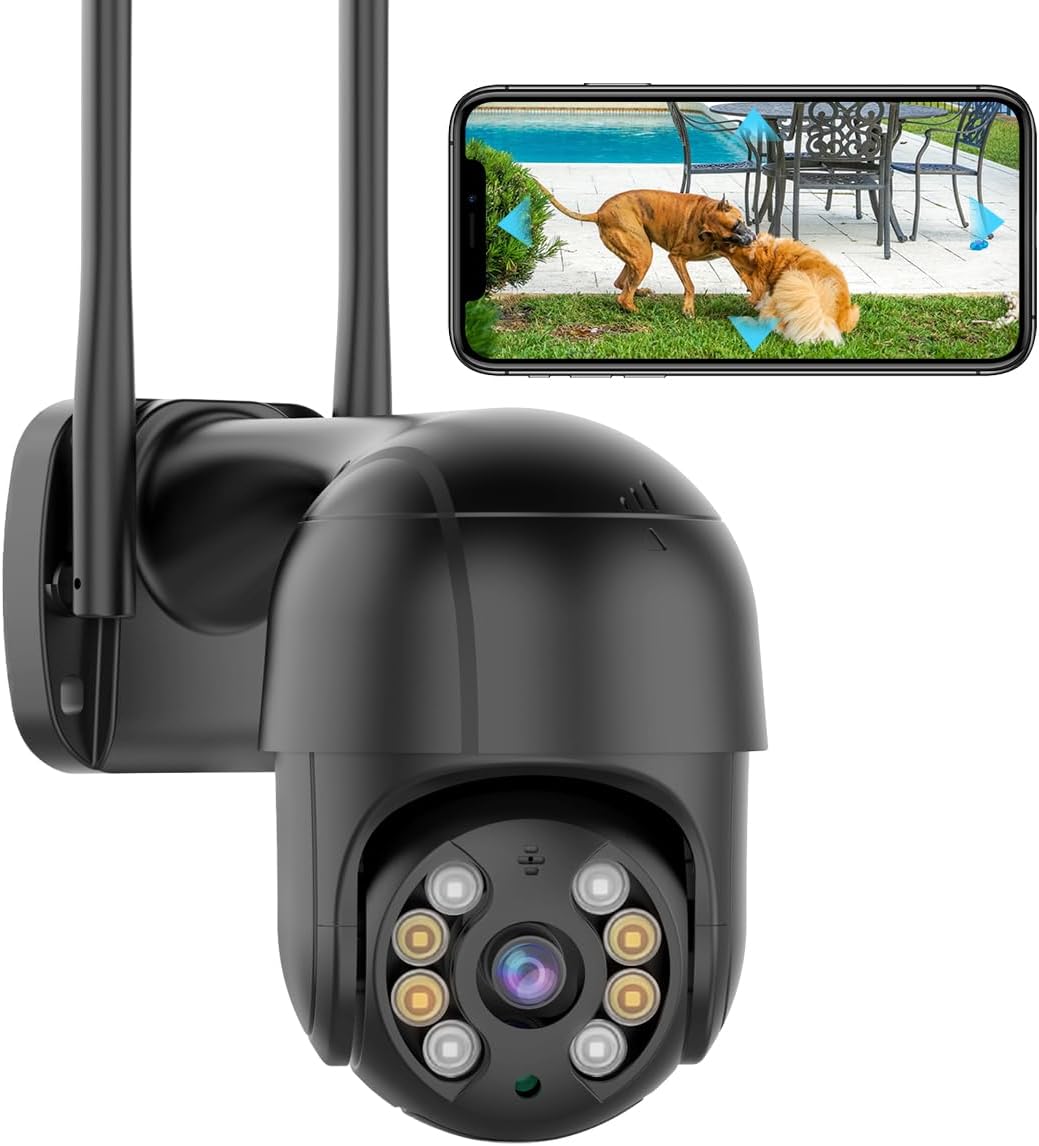
- 6MP (3MP + 3MP) · 2 lenses
- Pan & tilt from the app
- Wi-Fi 2.4 + 5GHz
An offline tile in the iCSee app means the camera and the app have lost each other, not that the camera is broken. Check power, then the Wi-Fi band, then the signal, in that order.
Reviewed September 2026Most iCSee cameras that go offline have lost power, been pushed onto a 5GHz band they cannot use, or sit at the edge of the router's reach. Power-cycle the camera on its own adapter, give the 2.4GHz band its own network name, and lower the stream to SD if the signal is weak. If it still will not return, reset it for ten seconds and pair it again.
A camera that loses power drops off the app just like one that loses Wi-Fi. Power faults are easy to spot once you know the signs, and they come first in iCSee camera troubleshooting because every other fix depends on a steady supply.
Most iCSee pan-tilt cameras run from a 12V adapter; GESKS packs one with each camera. A single-lens dome such as the BESDERSEC A6 draws about 3 watts, while multi-lens heads with lamps and sirens need more, so never swap adapters between models without checking the current rating on the label.
When the camera stays silent even on a known-good adapter, try the ten-second reset before anything else. An iCSee camera not working even after that reset needs a warranty claim, not more Wi-Fi changes.
| What you see | Likely cause | First fix |
|---|---|---|
| All cameras offline together | Router, internet or a changed Wi-Fi password | Restart the router; restore the old network name and password |
| One camera offline after a router swap | Camera still looking for the old network | Reuse the old name and password, or reset and pair again |
| Offline mostly at night | Lights and infrared raise power draw on a weak adapter | Use the supplied adapter; shorten the extension |
| Online, but the picture stalls | Weak signal at the mounting spot | Switch live view to SD; move the router or add a mesh node |
| Won't pair, QR code ignored | Phone on 5GHz, wrong password, dim screen | Put the phone on 2.4GHz; raise brightness; retype the password |
| Pan-tilt head sweeps again and again | Camera rebooting on unstable power | Check the barrel plug and adapter |
Causes follow the usual order of likelihood for Wi-Fi cameras. The SD-stream and move-closer fixes come from SDTNOVA's own troubleshooting notes.
Modern routers often publish 2.4GHz and 5GHz under one network name and steer each device between them. Most iCSee cameras hear only 2.4GHz, so a router that shuffles bands can leave them stranded.
A few other router features cut cameras off without warning. Guest networks usually block devices from reaching each other, and MAC filtering blocks anything not on its list.
Dual-band hardware such as the SDTNOVA dual-lens linkage PTZ can use 5GHz as well. It is a good choice when the router sits in the same room, but 5GHz fades faster through walls, so the 2.4GHz band still wins at a fence or gate.
After a band change, open live view on mobile data rather than home Wi-Fi. That proves the camera reaches the internet, not only your phone.
BESDERSEC A6 1080p Pan-Tilt Camera |
SDTNOVA Dual-Lens Linkage PTZ Camera |
GESKS Single-Lens PTZ Camera |
HIKJBSET 5MP PoE Bullet Camera |
Three-Lens Three-Screen PTZ Camera | |
| Type | Pan-tilt camera | Multi-lens camera | Pan-tilt camera | PoE camera | Multi-lens camera |
| Resolution | 1080p (2MP) | 6MP (3MP + 3MP) | 8MP 4K | 5MP | 1MP per lens |
| Lenses | 1 lens | 2 lenses | 1 lens | 1 lens | 3 lenses |
| Pan & tilt | Yes | Yes | Yes | No | Yes |
| Power | Plug-in adapter | Plug-in adapter | Plug-in adapter | PoE (one cable) | Plug-in adapter |
| Wi-Fi | 2.4GHz | 2.4 + 5GHz | 2.4GHz | Wired only | 2.4GHz |
| Ethernet port | — | — | Yes | Yes | Yes |
| See this camera | See this camera | See this camera | See this camera | See this camera |
A camera that connects at the back door and then keeps going offline at the far fence has a signal problem. Brick, stone, foil-backed insulation and metal cladding all cut 2.4GHz harder than distance alone.
SDTNOVA's own advice is the right starting point: drop the stream to standard definition and move the camera or router closer. SD sends a fraction of the data, so a weak link that stalls on HD often holds steady on SD while the card still records at full quality.
Several iCSee pan-tilt models carry a network port alongside Wi-Fi: the GESKS single-lens and dual-lens heads, the three-lens three-screen dome and the 8MP dual-lens PTZ with 10x zoom. A PoE splitter at the camera end lets one Ethernet cable feed both power and data to a 12V camera.
For a spot too far for any cable or Wi-Fi, a solar battery camera or PoE model is the answer, and the outdoor camera guide compares them.
A dual-lens pan-tilt that runs on PoE or DC 12V and draws about 3W. One Ethernet cable feeds it from a PoE switch or recorder, and it opens in both iCSee and XMEye.
See this cameraWhen an iCSee camera will not connect to Wi-Fi during setup, the fault is nearly always on the phone or router side. The camera needs to be in pairing mode, see a clear code, and receive a network it can join.
An iCSee camera not scanning QR codes after all that can still join by another path. Cameras with an Ethernet port can be found over a cable with Nearby Cameras, and models with Bluetooth pairing skip the QR code entirely.
A camera that shows no light and makes no sound at power-up is not a pairing problem at all; go back to the power checks. Full pairing steps, from the QR code to Bluetooth and hotspot mode, are in the setup guide.
Bright white light at 2 a.m. is a common complaint, and it is a setting rather than a fault. Most iCSee cameras offer three night modes, and choosing the right one stops the glare.
| Night mode | White lamp | Night picture |
|---|---|---|
| Infrared | Off all night | Black and white |
| Full colour | On all night | Colour |
| Intelligent or smart | On only when a person appears | Black and white, then colour |
GESKS describes exactly these three modes for its cameras, and the 4MP dual-lens pan-tilt offers the same trio. Pick infrared to keep the lamp dark, or intelligent for a colour picture of anyone who walks in.
A camera that switches between colour and black-and-white all night is reacting to its own light bouncing off a nearby wall or gutter. Angle it away from close surfaces, or use infrared mode. Light and siren alerts are set from the alarm menu, explained along with other iCSee app features.
When an iCSee camera keeps going offline, the usual causes are weak power, a router steering it onto 5GHz, or a weak signal at the mounting spot. Check them in that order.
Most iCSee cameras join 2.4GHz only. Put the phone on the 2.4GHz network, retype the password and make sure the camera is in pairing mode after a reset.
Raise the screen brightness, keep the phone roughly a hand's length from the lens, step out of direct sun and remove lens film. If it still refuses, pair over Ethernet or Bluetooth where the camera supports it.
Set the night mode to infrared in the camera's settings, which keeps the white lamp off. Flashing alarm lights are switched off in the alarm settings.
Something changed at the router: a restart, a new password or an internet outage. Restore the old network name and password and the cameras reconnect on their own.