Top cameras
Dual-lens PTZ · 3MP + 3MP · Wi-Fi + Ethernet

GESKS 6MP Dual-Lens PTZ Camera

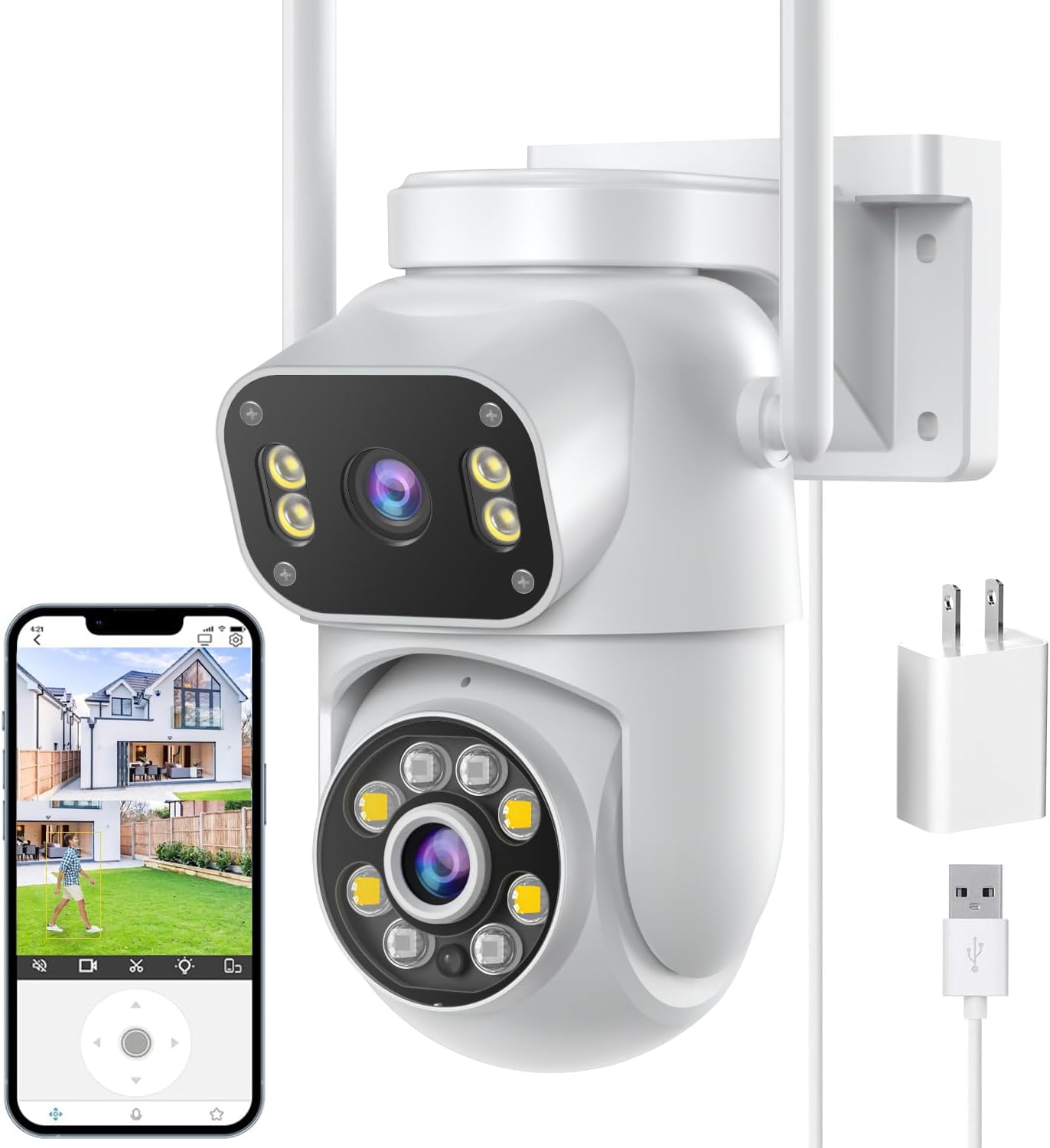
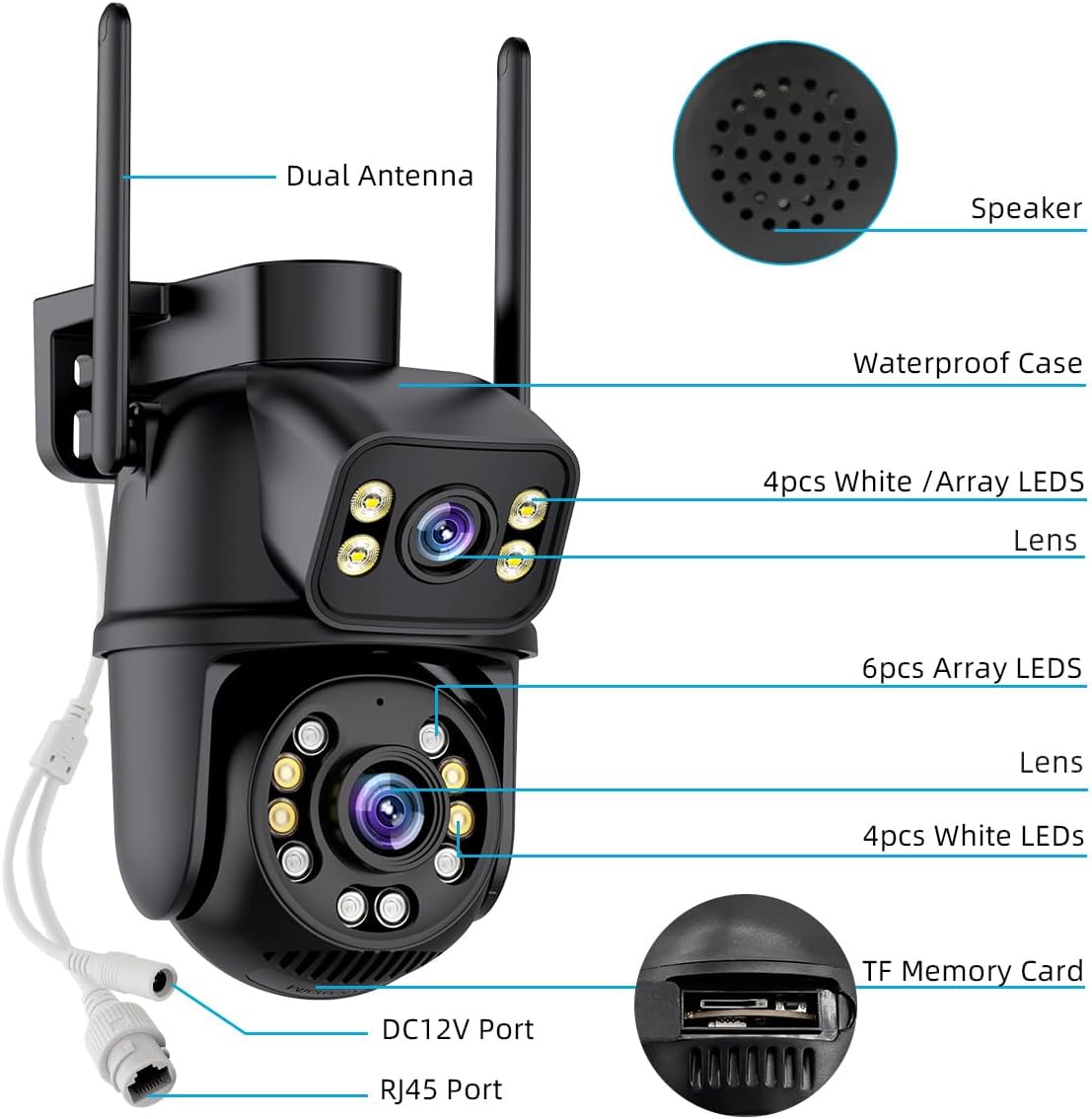
A fixed 3MP lens above a 3MP pan-tilt lens, shown as two screens in iCSee, with a wired network port and, on the black version, a flashing light that tells a visitor they are on camera.

  • Resolution6MP total: 3MP + 3MP
  • LensesFixed + pan-tilt, two screens
  • Network2.4GHz Wi-Fi or Ethernet
  • Night vision3 modes, up to 65ft
  • DeterrentWarning light (black version)
  • StoragemicroSD up to 128GB or cloud
Fits well for
  • A front yard with two approaches to keep in view at once
  • A wall where a network cable can reach
  • A spot where a visible warning light helps
Choose another if
  • Reading a plate far down a drive: 3MP per lens has limits
  • A 5GHz-only network with no cable option
  • A mount with no outlet for the 12V adapter
See this camera
Plugs & bundles

Black with a warning light, or white

Watch the lawn and the porch at once with two GESKS lenses

The GESKS 6MP puts two 3MP lenses in one housing. The upper one is fixed and holds a wide view; the lower one sits on a pan-tilt head and swings to follow people. The iCSee app shows them as two screens, so the camera never trades the whole scene for a close-up.

Where a dual-lens camera earns its place:

  • A front yard with two approaches, the path and the drive, both kept in view while the moving lens follows one person.
  • A corner of the house, with the fixed lens along one side and the pan-tilt lens free to cover the other.
  • A parking area, where the wide lens records every car and the tracking lens frames whoever steps out.

The 6MP figure is a sum. Each lens records 3MP, so each screen carries a 3MP picture. Next to a 4K single-lens camera, that is less detail per view, but there is no blind moment while the head turns. The resolution guide explains how to read per-lens figures on any iCSee box.

When a person walks in, human detection traces their route on screen and starts the tracking lens. iCSee then pushes an alert with a snapshot or clip to every phone the camera is shared with.

Fixed lens first. Settle the fixed lens on the front door and the last few steps before it, before you adjust anything else. The tracking lens can then wander after movement without the door ever leaving the recording.

The housing is ABS plastic, waterproof, and measures 4.87 × 4.87 × 7.8 inches. It comes with a bracket, screws and a 12V US adapter, so a first install needs only a drill, a ladder and an outlet nearby.

Camera sheet

Lens, sensor and power

SpecValue
ModelIK-P11-Q6
AppiCSee
Resolution6MP total (sold as 3K), 3MP per lens
Lens layoutFixed lens + pan-tilt lens, two screens in the app
Coverage360° view with the pan-tilt lens
Video formatH.265, MP4
Night visionWhite + infrared lamps; full-colour, infrared and smart modes; up to 65ft
DetectionHuman detection with trajectory and auto tracking
DeterrentFlashing warning light (black version)
AudioTwo-way, built-in microphone and speaker
SharingMulti-user access
Network2.4GHz Wi-Fi or wired Ethernet
Local storagemicroSD up to 128GB
CloudOptional; alarm clips
Third-partyONVIF NVRs
Voice controlAlexa
HousingABS, waterproof
Dimensions4.87 × 4.87 × 7.8in
In the boxCamera, 12V US power adapter, bracket, screws, manual

Warn a visitor off with the black version's flashing light

GESKS builds this camera in black and in white, and the difference is more than paint. The black version carries a warning light that flashes when the camera detects someone; the white version does without it.

VersionWarning lightSuits
BlackYes, flashes on detectionA front drive, a side gate, a spot you want visibly guarded
WhiteNoA shared drive or quiet street where flashing light would bother neighbours

The light is a visible signal rather than a recording feature. Paired with full-colour night mode, where the white lamps also switch on, it leaves a visitor in no doubt that the camera has seen them. Two-way audio lets you follow up with a word through the speaker.

Lenses, picture, Ethernet port and app features are identical on both versions. Pick by the wall colour and by how loud you want the camera to look.

Night vision on either version

  • Colour mode keeps the white lamps lit through the night and records in colour.
  • Infrared mode records black and white with no visible glow.
  • Smart mode stays on infrared until a person appears, then lights the white lamps.

GESKS quotes night vision up to 65ft. On a deep plot, aim the fixed lens at the nearer zone so the whole of it sits inside that reach, and let the tracking lens handle anything further out.

Smart mode is the sensible starting point on the black version. It keeps the white lamps and the warning light for real visitors, so a fox crossing the lawn does not light up the front of the house.

In the iCSee range

Where it stands among iCSee cameras

iCSee camera models by type, September 2026. Highlighted: GESKS 6MP Dual-Lens PTZ Camera.

Keep the GESKS dual-lens online with a network cable

Two video streams put twice the load on a wireless link, and a dual-lens camera on a weak signal shows it first as a frozen second screen. The GESKS 6MP answers with an Ethernet port alongside its 2.4GHz Wi-Fi.

  1. Pair and update the camera beside the router, following the setup guide.
  2. Carry it to the mount point and watch both screens on the phone for a minute.
  3. If either screen stalls, plan a cable run from the router or a switch.
  4. Seal the Ethernet joint in a weatherproof box before the first rain.

The cable carries data; the camera still draws power from its 12V adapter, so an outlet is needed within reach. GESKS lists ONVIF support, so a wired camera can feed a network video recorder as well as its own card, and the RTSP and PC page covers the stream settings.

For storage, GESKS gives 4 to 5GB a day of continuous recording across its pan-tilt range, which puts a 128GB card at roughly 25 to 32 days. Busy scenes use more. Cloud storage, where you add it, keeps alarm clips only.

Multi-user sharing lets family members see both screens and receive alerts on their own accounts. The iCSee app guide shows how to share by code instead of handing over a password.

Voice control through Alexa is included too. It is a convenience rather than a security layer, so set a strong password on the iCSee account before linking it.

Once the camera runs on the cable, leave its Wi-Fi details in place as well. If the cable is ever cut or unplugged, a camera that still knows the network is quicker to bring back online.

Other ways to cover it

Three other cameras

2 Siosaxdot Q6 Dual-Lens PTZ Camera
Upper lens aimed by hand Siosaxdot Q6 Dual-Lens PTZ Camera
The Siosaxdot Q6 lets you set the upper lens across 120° at install while the lower one pans 355°.
  • 1080p (2MP) · 2 lenses
  • Pan & tilt from the app
  • Runs on the iCSee app
See this camera

Set the GESKS 6MP against the SDTNOVA and Siosaxdot dual-lens cameras

Three dual-lens cameras on the iCSee app share one idea, a fixed lens above a tracking lens, and differ in the details that decide which wall each belongs on. The GESKS 6MP is the one built around a cable and a warning light.

CameraPer lensNetworkStand-out extra
GESKS 6MP3MP + 3MP2.4GHz + EthernetWarning light (black), Alexa
SDTNOVA3MP + 3MP2.4 + 5GHzTap-to-aim linkage, hotspot mode
Siosaxdot Q61080p2.4GHzUpper lens aimed by hand across 120°, Alexa and Google Assistant

The GESKS fits best when:

  • A cable can reach the mount and you want the steadiest link.
  • A visible warning light suits the spot.
  • You already run other GESKS cameras and want matching bodies.

Before ordering, check four things at the wall: an outlet within reach of the adapter, a 2.4GHz signal or a cable route, a soffit or overhang to shelter the head, and a clear line from the fixed lens to the door. If all four are in place, the GESKS 6MP goes up in an afternoon.

The SDTNOVA is the better choice when 5GHz Wi-Fi matters more than a cable. For more reach than 3MP lenses allow, the GESKS 9MP adds 8x zoom and a siren light in a related body.

Whichever you choose, mount it under cover, point the cable joints down and check a full night's footage before relying on it. The reset guide is worth a bookmark for the day a password goes missing.

Installer answers

Setup and storage questions

How do the black and white GESKS 6MP differ?

The black version has a warning light that flashes on detection; the white one does not. Lenses, picture and features are otherwise the same.

Is the GESKS 6MP two 3MP lenses?

Yes. Each lens records 3MP, one fixed and one pan-tilt; 6MP is the total.

Can the GESKS 6MP use a network cable?

Yes. It has an Ethernet port as well as 2.4GHz Wi-Fi. Power still comes from the 12V adapter.

What card does it take?

A microSD card up to 128GB. GESKS puts continuous recording at about 4–5GB a day.

Does the GESKS 6MP work with Alexa?

Yes, for voice control from an Alexa device. ONVIF recorders are supported too.