Top cameras
Dual-lens PTZ · 1080p · Alexa + Google Assistant

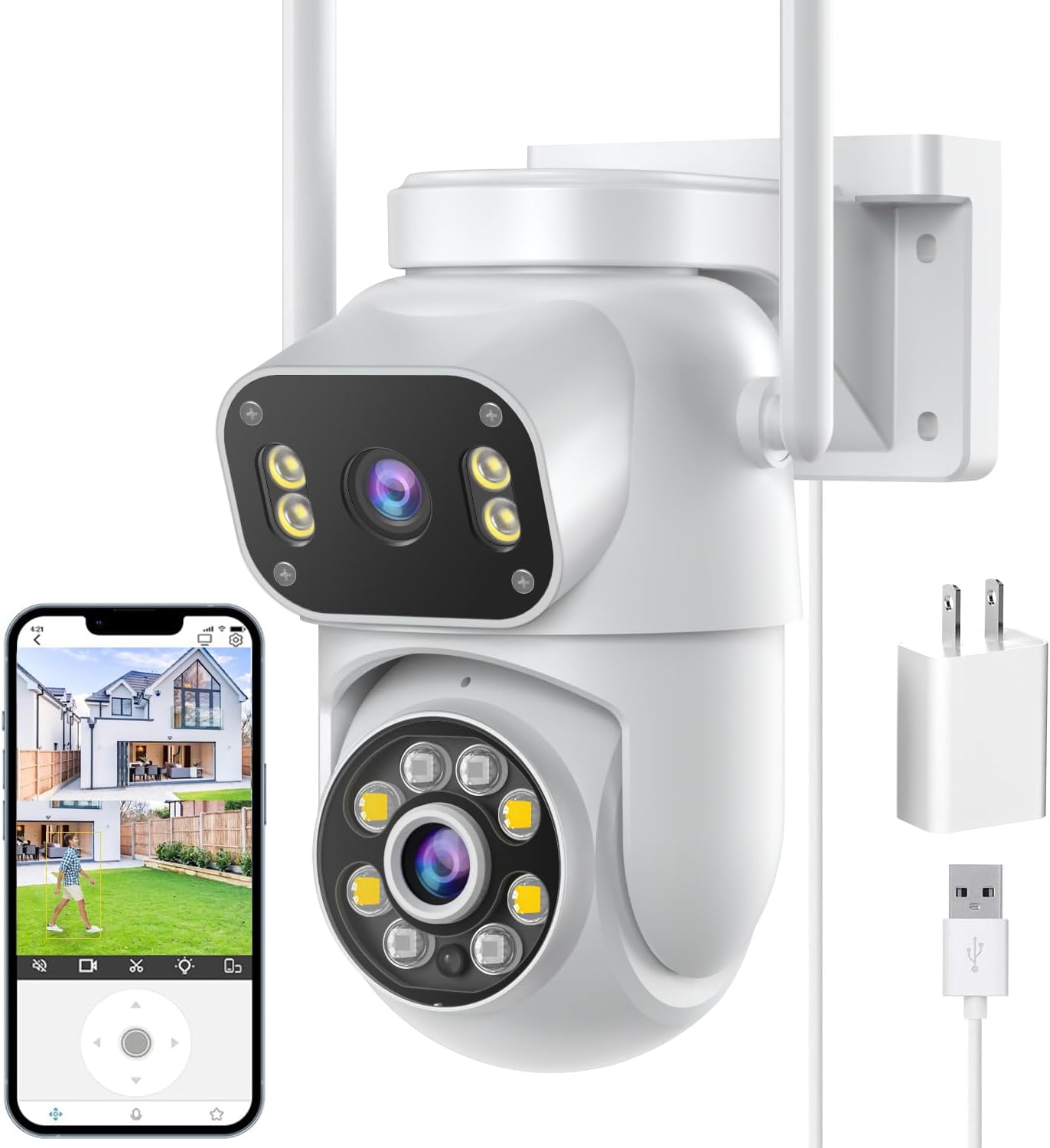
Siosaxdot Q6 Dual-Lens PTZ Camera

An upper lens you aim once by hand and a lower lens that pans 355° and tilts 90° under app control, in one IP66 body for a porch, a drive or a garage.

  • Video1080p
  • Upper lensAimed by hand across 120°
  • Lower lens355° pan, 90° tilt
  • Wi-Fi2.4GHz
  • VoiceAlexa and Google Assistant
  • WeatherIP66, indoor or outdoor
Fits well for
  • A side gate or path that lies away from the mount's centre line
  • A home that runs on Google Assistant or Alexa
  • Short to medium distances where 1080p is enough
Choose another if
  • A 5GHz-only router with no 2.4GHz band
  • Faces or plates far down a long drive
  • A wall where only a network cable, not Wi-Fi, can reach
See this camera

Aim the Q6's upper lens once and leave it on the gate

The Siosaxdot Q6 splits the work of a dual-lens camera in a practical way. Its upper lens is not motorised: you turn it by hand across 120°, left to right, when you mount the camera, and it stays where you set it. The lower lens is the moving one, panning 355° and tilting 90° from the iCSee app.

Why a hand-aimed lens makes sense on a real wall:

  • It points exactly where you want. A fixed upper lens sees straight ahead; the Q6's can angle toward a gate or path off to one side.
  • It never wanders. No preset or app slip can move it off the spot you chose.
  • It frees the lower lens. With the key spot covered, the tracking lens can follow people across the rest of the yard.

Picture it on a garage corner. The upper lens angles back along the side path to the rear gate, while the lower lens covers the drive, the street edge and the front door, swinging to follow anyone who walks up. One camera does two jobs from a single iCSee device entry.

Set the upper lens before the bracket is tight. Hold the camera in place, open live view on the phone and turn the upper lens until the gate or path sits in the middle of its screen. Then tighten the mount, because reaching it later means a ladder.

Video is 1080p. That is enough to recognise a visitor on the path near the house, and it keeps the stream light for 2.4GHz Wi-Fi, the only band the Q6 joins.

Resolution is the trade you make for the price of a two-lens body. For identifying a stranger at the far end of the plot, a camera with more pixels per lens or optical zoom does better; for watching the ground close to the house, 1080p on two lenses covers more than 4K on one.
Camera sheet

Lens, sensor and power

SpecValue
ModelQ6
AppiCSee
Video resolution1080p
Lenses2
Upper lensAdjusted by hand, 120° left to right
Lower lens355° pan, 90° tilt, app-controlled
DetectionHuman detection with auto tracking
AlertsInstant push notifications
Night visionColour or infrared
Built-in lightYes
AudioTwo-way, built-in microphone and speaker
Wi-Fi2.4GHz only
StoragemicroSD card slot
Voice assistantsAlexa, Google Assistant
Weather ratingIP66
UseIndoor or outdoor
PowerCorded, USB power supply included
Dimensions5.9 × 5.1 × 8.3in
Weight0.41kg
In the boxCamera, USB power supply, mounting screw, manual

Let the Q6 follow a person across the drive

The lower lens does the active watching. Human detection picks out people rather than every moving leaf, and once it has someone, the lens follows them until they leave the frame.

  1. Detection: the camera spots a person in its view.
  2. Tracking: the pan-tilt lens turns to keep them in frame.
  3. Alert: iCSee pushes a notification to your phone straight away.
  4. Talk: open live view and speak through the built-in speaker, or listen through the microphone.

Siosaxdot credits its chips with a low-latency connection, which matters most when you steer the lower lens by hand from the phone. Latency on your own network still depends on the Wi-Fi signal at the mount point, so test live view from the ladder before drilling.

At night the Q6 offers colour night vision, lit by its built-in light, or infrared night vision in black and white. Colour shows clothing and car colours, which helps when describing someone later; infrared keeps the camera dark and discreet.

Alerts are only useful when they are the right ones. Aim the lower lens's resting view at your own ground rather than the street, so passing traffic does not fill the phone with notifications. The iCSee app guide shows where the alert settings live.

Two-way audio turns the Q6 into a front-door intercom as well. A courier can be told where to leave a parcel, and a stranger by the garage hears that someone is watching, without anyone opening the door.

In the iCSee range

Where it stands among iCSee cameras

iCSee camera models by type, September 2026. Highlighted: Siosaxdot Q6 Dual-Lens PTZ Camera.

Pair the Q6 on 2.4GHz and link Alexa or Google

The Q6 joins 2.4GHz Wi-Fi only, so the phone must sit on that band when you pair it. Routers that broadcast one combined network name are the usual stumbling block, and splitting the bands fixes most failed first attempts.

  1. Plug the camera in beside the router, using the USB power supply from the box.
  2. In iCSee, add a device and scan the QR code; the setup guide covers the other pairing routes.
  3. If pairing fails, give the router's 2.4GHz band its own network name and try again.
  4. Update the firmware before the camera goes up.
  5. Insert a microSD card for local recording, then format it in the app.
  6. Walk the camera to its mount and confirm both live views load before drilling.

Voice control reaches further than on most iCSee cameras. The Q6 works with both Alexa and Google Assistant, so it links to whichever smart speaker or display the household already uses.

Like every camera on the iCSee app, it lives inside an app that can show ads. The switch to turn them off sits under Me, then Tool, in the iCSee app.

The IP66 body handles rain, sun, snow and dust, and Siosaxdot rates the Q6 for indoor and outdoor use. Indoors, it suits a garage or workshop where one lens holds the door and the other roams the floor. Weighing 0.41kg, it hangs from a wall or ceiling without a heavy bracket.

Plan for the power lead. The Q6 sends video over Wi-Fi but draws power through a cable, so an outlet must sit within reach of the USB supply, or a weatherproof outdoor socket nearby.
Other ways to cover it

Three other cameras

2 GESKS 6MP Dual-Lens PTZ Camera
Ethernet and a warning light GESKS 6MP Dual-Lens PTZ Camera
The GESKS 6MP dual-lens adds a network port and, on the black version, a flashing warning light.
  • 6MP (3MP + 3MP) · 2 lenses
  • Pan & tilt from the app
  • Runs on the iCSee app
See this camera

Weigh the Q6 against fixed-lens dual cameras

Most dual-lens iCSee cameras fix their upper lens straight ahead. The Q6's hand-aimed upper lens is its clear point of difference, and it decides whether this camera or a rival suits your wall.

CameraUpper lensLower lensNetworkPer lens
Siosaxdot Q6Aimed by hand across 120°355° pan, 90° tilt2.4GHz1080p
SDTNOVAFixedPan-tilt, tap-to-aim2.4 + 5GHz3MP
GESKS 6MPFixedPan-tilt2.4GHz + Ethernet3MP

The Q6 fits when:

  • The key spot, such as a side gate, lies away from the mount's centre line.
  • Your household runs on Google Assistant as well as, or instead of, Alexa.
  • 1080p covers the distances involved.

A rival fits better when you want more pixels per view or a cable option. The SDTNOVA and the GESKS 6MP both carry 3MP per lens, and the GESKS adds an Ethernet port for a wall far from the router.

The Q6 also makes a sensible second camera. Mount a higher-resolution model where faces must be identified, such as the front door, and put the Q6 on the garage or side of the house, where its hand-aimed lens can hold a gate that a straight-ahead lens would miss. Both appear in the same iCSee device list.

When the Q6 misbehaves, the offline fixes and the reset guide apply to it as to any iCSee camera. Both start with the same checks: power, the 2.4GHz band and the signal at the mount.

Installer answers

Setup and storage questions

Does the Q6's upper lens move by itself?

No. You set it by hand across 120° when mounting; the lower lens is the one that pans 355° and tilts 90°.

Does the Siosaxdot Q6 work on 5GHz Wi-Fi?

No. It joins 2.4GHz only, so connect the phone to the 2.4GHz band before pairing.

Does the Q6 work with Google Assistant?

Yes. It works with both Google Assistant and Alexa.

What resolution does the Q6 record?

1080p video.

Can the Q6 go outdoors?

Yes. It is IP66-rated and suits indoor or outdoor use; power comes from the included USB supply.