Top cameras
Pan-tilt · 4K 8MP or 3MP · Wi-Fi + Ethernet

GESKS Single-Lens PTZ Camera

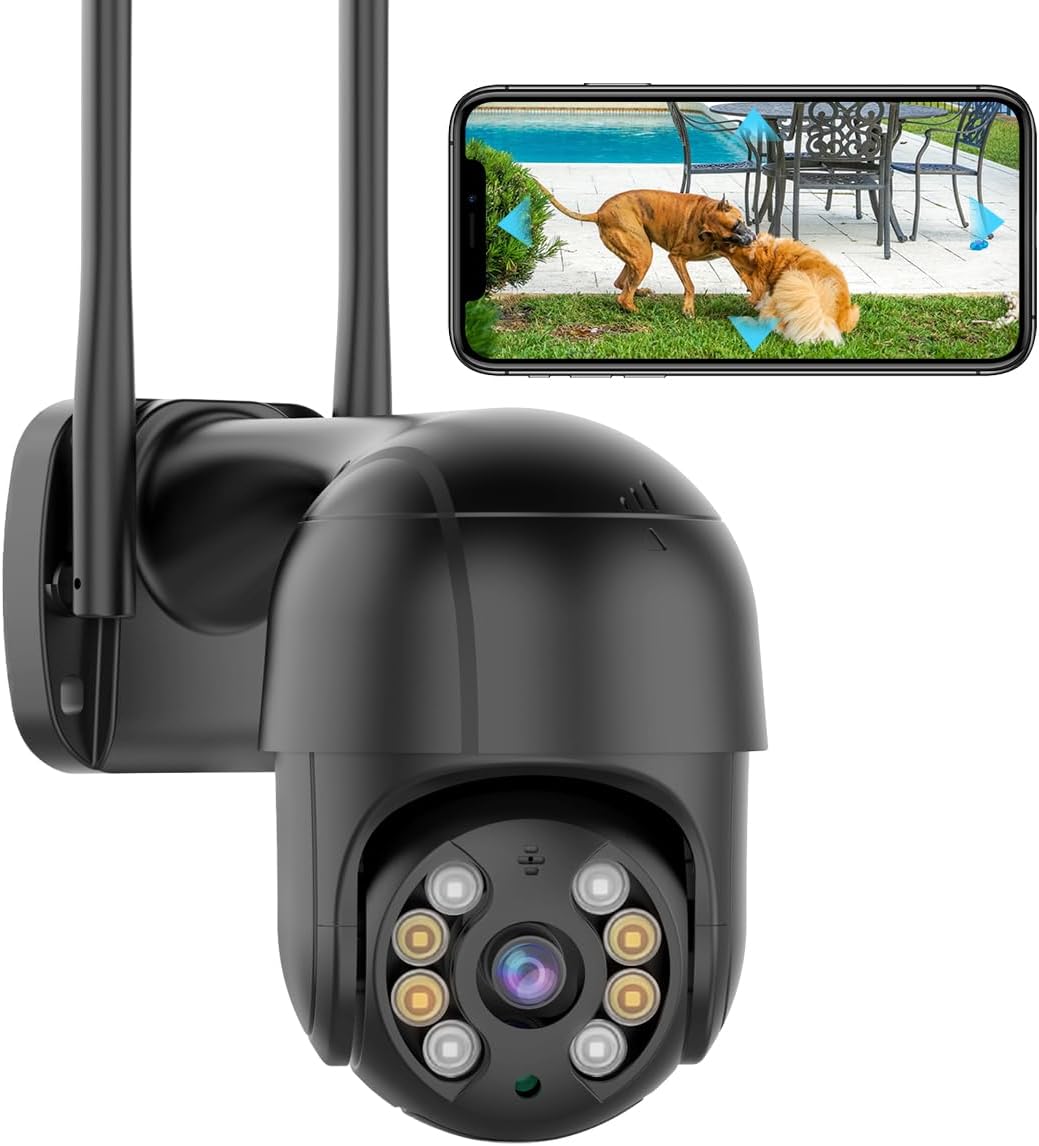
One lens on a 355° pan-tilt head, built as a black 4K 8MP camera or a white 3MP one, with an Ethernet port for the walls Wi-Fi cannot reach.

  • Resolution4K 8MP (black) or 3MP (white)
  • Movement355° pan, 90° tilt
  • Network2.4GHz Wi-Fi or Ethernet
  • Night visionColour, infrared or smart, up to 65ft
  • StoragemicroSD up to 128GB or cloud
  • VoiceWorks with Alexa
Fits well for
  • One approach, such as a driveway or back door, in maximum detail
  • A mount where Wi-Fi is weak but a network cable can reach
  • Recording to an ONVIF NVR as well as the card
Choose another if
  • A wide yard that must stay in frame while the head turns
  • Any phone app other than iCSee
  • A mount with no outlet for the 12V adapter
See this camera
Plugs & bundles

Black 4K or white 3MP

Pick the GESKS single-lens in 4K 8MP or 3MP

GESKS builds this pan-tilt camera in two versions that share a body, a head and an app. The black one records 4K 8MP at 24 frames a second; the white one records 3MP. Everything else, from the 355° pan to the Ethernet port, is common to both.

VersionResolutionColourBest spot
8MP4K, 24fpsBlackA wide front yard, faces and parcels at distance
3MP1296pWhiteA patio, a back door, a smaller yard

More pixels help most when you zoom in after the event. A 4K frame lets you crop into the far corner of the yard on playback and still make out a face; a 3MP frame shows the same corner softer. The resolution guide maps pixel count to identification distance.

The cost of 4K sits in storage and Wi-Fi. A bigger stream needs a steadier link and fills the card sooner, which is where the Ethernet port earns its place. GESKS puts continuous recording at about 4 to 5GB a day, so a 128GB card holds roughly 25 to 32 days before it starts overwriting.

Shared by both versions:

  • Auto tracking of people on a head with 355° of pan and 90° of tilt.
  • Two-way audio and multi-user sharing.
  • H.265 video, which needs less space than H.264 for the same picture.
  • Alexa voice control and ONVIF for recorders.

The white 3MP body suits a light-coloured wall or soffit where a black dome would stand out. The black 8MP body blends into dark trim and gives the sharper picture, so on a front elevation it is the one most installers would reach for first.

Camera sheet

Lens, sensor and power

SpecValue
ModelIK-Q8-8MP (black), IK-Q8-3MP (white)
AppiCSee only
Resolution4K 8MP at 24fps (black); 3MP, 1296p (white)
LensSingle lens on a pan-tilt head
Pan / tilt355° horizontal, 90° vertical
Video formatH.265, MP4 files
Night visionWhite + infrared lamps; full-colour, infrared and smart modes; up to 65ft
DetectionHuman detection with on-screen trajectory and auto tracking
AlertsPush notification with snapshot or video clip
AudioTwo-way, built-in microphone and speaker
SharingMulti-user access
Network2.4GHz Wi-Fi or wired Ethernet
Local storagemicroSD up to 128GB; about 4–5GB of continuous recording a day
CloudOptional; stores alarm clips
Third-partyONVIF NVRs
Voice controlAlexa
WeatherWaterproof housing
Dimensions4.87 × 4.87 × 7.8in
Weight16oz (8MP), 0.53kg (3MP)
In the boxCamera, 12V US power adapter, bracket, screws, manual

Wire the GESKS PTZ to the router through its Ethernet port

Most pan-tilt cameras on the iCSee app live or die by their Wi-Fi signal. The GESKS single-lens adds a network port, so a camera on a brick wall far from the router can take a cable instead and stop dropping out.

  1. Pair the camera over 2.4GHz Wi-Fi or with the cable plugged in, as the setup guide shows.
  2. Run outdoor-rated Ethernet from the router or a switch to the mount point.
  3. Protect the connector with a weatherproof cap or junction box, since the joint sits outside.
  4. Confirm live view over the cable before the bracket goes up.

The cable carries the network connection. GESKS does not list Power over Ethernet, so plan on the 12V adapter and an outlet within reach. If you want one cable for both power and video, a PoE camera such as the HIKJBSET 5MP bullet does that job.

Finding the camera's IP address is where people stall when adding it to a recorder. GESKS gives the route in the app: tap the plus icon, choose Add Device, pick Other Ways to configure network at the bottom, then Nearby Cameras. The address is listed there.

iCSee only. GESKS states that the camera works with the iCSee app and cannot be added to other phone apps. For a PC or NVR, go through ONVIF, covered on the RTSP and ONVIF page.

Give the camera a reserved address on the router once it is wired. A recorder that finds the camera at the same address every day records every day; one that loses it after a power cut records nothing until someone notices.

In the iCSee range

Where it stands among iCSee cameras

iCSee camera models by type, September 2026. Highlighted: GESKS Single-Lens PTZ Camera.

Light the driveway at night with three vision modes

The GESKS head carries both white lamps and infrared lamps, and the iCSee app switches between three ways of using them. Each fits a different kind of night on a property, and the choice changes what the recording shows.

  • Full colour: the white lamps stay on all night. Colour footage, and a lit camera that says plainly it is watching.
  • Infrared: only the infrared lamps. Black-and-white footage, no visible light, nothing to bother the neighbours.
  • Smart: infrared by default, white lamps when a person is detected. Quiet most of the night, colour when it counts.

GESKS quotes night vision up to 65ft, which covers a typical front yard or a driveway to the street. Beyond that, detail fades into shapes, and a plate at the kerb needs zoom rather than more light.

Human detection draws the person's path on screen and swings the head to follow them. When it spots someone, iCSee sends an alert to the phone with a snapshot or a short video. Multi-user sharing lets a partner or neighbour receive the same alert on their own account, with no password handed over.

Two-way audio completes the deterrent. From wherever you are, a voice through the speaker tells a visitor on the drive that someone is paying attention, and Alexa support adds voice control from an Alexa device at home.

For the first week, leave the camera on smart mode and read the alerts each morning. If a streetlight or a passing car keeps waking the white lamps, narrow the detection or switch that camera to infrared and let a neighbouring one carry the colour.
Other ways to cover it

Three other cameras

2 GESKS 6MP Dual-Lens PTZ Camera
Add a fixed wide lens GESKS 6MP Dual-Lens PTZ Camera
The GESKS 6MP dual-lens keeps the network port and adds a fixed 3MP lens above the tracking one.
  • 6MP (3MP + 3MP) · 2 lenses
  • Pan & tilt from the app
  • Runs on the iCSee app
See this camera

Weigh the GESKS single-lens against dual-lens iCSee cameras

One lens on a moving head is the simplest camera to mount and the easiest to follow on a phone screen. The GESKS version stands apart from other single-lens domes on two counts: a 4K option and a wired network port.

CameraLensesResolutionNetwork
GESKS single-lens14K 8MP or 3MPWi-Fi + Ethernet
BESDERSEC A611080p2.4GHz Wi-Fi
GESKS 6MP dual-lens23MP + 3MPWi-Fi + Ethernet
GESKS 4K triple-lens34K 8MP in total2.4GHz Wi-Fi

The single-lens fits best when:

  • The camera watches one approach, such as a driveway or a back door.
  • You want the most detail per view, since all 8MP go into one picture.
  • A cable run is possible and Wi-Fi is weak at the mount.
  • Your recorder speaks ONVIF and you want a 4K channel on it.

Step up to a dual-lens model when the yard is wide enough that the head turning away leaves a gap. The GESKS 6MP dual-lens comes from the same family and adds a fixed 3MP lens above the tracking one.

The two types also work well side by side. A common layout puts a dual-lens model on the front corner for the wide view and this single-lens 4K over the drive or back door, where one approach needs detail rather than breadth. Both answer to the same iCSee login and the same alert feed.

Mount either version under an eave, keep the cable joint pointing down, and check the first night's footage before trusting it with the drive. When a camera needs a fresh start, the reset guide points to the button's location.

Installer answers

Setup and storage questions

What separates the black and white GESKS single-lens versions?

Resolution and colour. The black version records 4K 8MP at 24fps; the white one records 3MP. Both share the pan-tilt head, Ethernet port and features.

Can I connect the GESKS single-lens with a network cable?

Yes. It has an Ethernet port for a wired connection, but power still comes from the 12V adapter.

How do I find the camera's IP address?

In iCSee, tap the plus icon, choose Add Device, then Other Ways to configure network, then Nearby Cameras.

Does it work with apps other than iCSee?

No. GESKS states it works with iCSee only; recorders and PC software connect through ONVIF.

How long does a 128GB card last?

GESKS puts continuous recording at about 4–5GB a day, so roughly 25 to 32 days before the oldest footage is overwritten.