Top cameras

iCSee Light Bulb Camera: E27 Base, US E26 Sockets and Setup

The iCSee light bulb camera screws into a lamp fitting and takes its power from the socket, with two lenses on a turning head. Its base is E27, so a US home needs to check the fitting before it goes up.

Reviewed September 2026
Quick answer

The iCSee bulb camera has an E27 base, the 27mm European thread; US and Canadian fixtures use E26, one millimetre narrower. It accepts AC 100–230V, so US mains voltage is within its range, and an E26-to-E27 socket adapter gives a proper fit. It is rated for indoor use, so outdoors it belongs only in a covered, enclosed porch fitting.

  • Base: E27; US sockets are E26
  • Power: AC 100–230V from the socket, about 3W
  • Two lenses, 355° pan and 90° tilt, 2.4GHz Wi-Fi with Bluetooth pairing
2 Wyze Bulb Cam 2K
Native E26 fit, separate app Wyze Bulb Cam 2K
The Wyze Bulb Cam 2K screws straight into a US E26 socket, but it runs on the Wyze app, not iCSee.
  • Screws into a standard E26 socket
  • Light and 2K camera in one
  • Runs on the Wyze app
See this camera
3 4MP Dual-Lens Pan-Tilt Camera
Plug-in instead of a socket 4MP Dual-Lens Pan-Tilt Camera
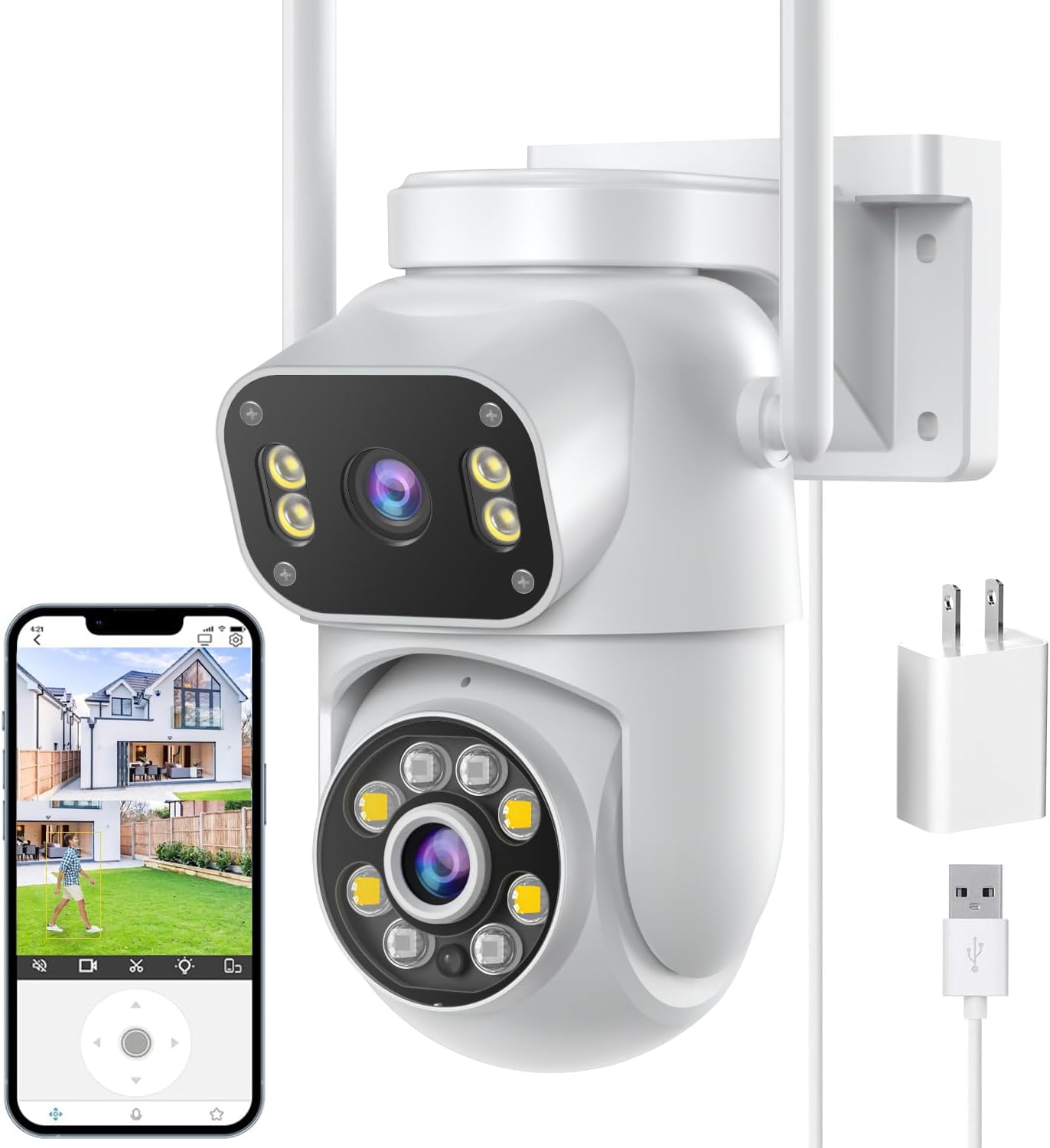
The 4MP dual-lens pan-tilt gives the same two-screen view from a wall outlet, with Bluetooth pairing.
  • 4MP (2MP + 2MP) · 2 lenses
  • Pan & tilt from the app
  • Zoom: 4x digital
See this camera

Fit the E27 base to a US E26 socket safely

The iCSee bulb camera ships with an E27 base, the 27mm Edison screw used across Europe and much of Asia. US and Canadian fixtures take E26, a 26mm thread, so the question comes before anything else.

The two threads are close enough that an E27 base will often turn into an E26 socket. The fit is looser than either standard intends, though, and the centre contact may seat poorly, which is how flicker and heat start. For a device that stays on around the clock, fit it properly.

  • E26-to-E27 adapter: screws into the fixture and gives the camera a true E27 socket. Choose one listed by a recognised safety lab.
  • Voltage: the camera takes AC 100–230V, so US 120V mains is within its range; no converter is needed.
  • Length: an adapter adds height, so measure the space between the socket and any shade or globe.
  • Weight: the camera body is 187×84×86 mm, larger than a bulb, so the fitting must hold it firmly.
Never force the base. If it binds after one or two turns, stop and use an adapter; a cross-threaded base can crack the socket or leave live metal exposed.

UK and Australian homes with B22 bayonet fittings face the same step with a B22-to-E27 adapter. Small E14 and E12 candelabra sockets cannot take it at all.

If adapters feel like one part too many, a bulb camera made with an E26 base, such as the Wyze Bulb Cam 2K, fits a US socket natively. It runs on the Wyze app, so it will not sit beside iCSee cameras in one device list.

Settings sheet

Lamp bases side by side

BaseThread diameterStandard inFits the iCSee bulb camera
E2727 mmEurope, much of AsiaYes, its own base
E2626 mmUS, Canada, JapanWith an E26-to-E27 adapter
B2222 mm bayonetUK, AustraliaWith a B22-to-E27 adapter
E1414 mmSmall European lampsNo
E1212 mmUS candelabra fittingsNo

E numbers give the Edison screw diameter in millimetres; B22 is a push-and-twist bayonet. Adapters add length, so check that the fitting has room below it.

Cover a hallway from two lenses in one bulb

The iCSee bulb camera is a full pan-tilt camera in a bulb-shaped body. Two lenses show on two screens in the app, and the head follows a person across the room.

The maker marks the dual-lens E27 bulb camera 8MP 4K, with a Sony CMOS sensor, H.265 recording and an 87° view per lens. It does not say how that 8MP divides between the two lenses, and on most dual-lens iCSee cameras the figure is a sum, so expect less than 4K in each view.

  • Movement: 355° pan and 90° tilt, with auto-tracking of people.
  • Night: full-colour, infrared and smart modes, with infrared reach of about 10 metres.
  • Audio: built-in microphone and speaker for two-way talk.
  • Network: 2.4GHz Wi-Fi; pairing by Bluetooth or QR code.
  • Storage: microSD up to 128GB, not included, plus optional paid cloud.
  • Alerts: app push, email photo, FTP photo and a local alarm.
  • Power: AC 100–230V from the socket, rated at 3W.

It is a camera first. The maker gives no lumen figure, so do not count on it to light a room; its lights serve colour night vision. Keep a separate lamp in the space if you need to see your way.

The box holds the camera and a manual. The rating is for indoor use, with an operating range of -10°C to 60°C.

Camera vs camera

Bulb camera against the alternatives

4K Dual-Lens E27 Light Bulb Camera 4K Dual-Lens E27 Light Bulb Camera Wyze Bulb Cam 2K Wyze Bulb Cam 2K 4MP Dual-Lens Pan-Tilt Camera 4MP Dual-Lens Pan-Tilt Camera BESDERSEC A6 1080p Pan-Tilt Camera BESDERSEC A6 1080p Pan-Tilt Camera
TypeBulb cameraBulb cameraMulti-lens cameraPan-tilt camera
Resolution8MP 4K2K4MP (2MP + 2MP)1080p (2MP)
Lenses2 lenses1 lens2 lenses1 lens
Pan & tiltYesNoYesYes
PowerE27 bulb socketE26 bulb socketPlug-in adapterPlug-in adapter
Wi-Fi2.4GHz2.4GHz2.4GHz2.4GHz
Zoom——4x digital—
See this camera See this camera See this camera See this camera
Camera sheet

Full camera sheets for the top three

4K Dual-Lens E27 Light Bulb Camera
Base
E27 screw (US fixtures are E26)
Power
AC 100–230V, 3W
Lenses
Two, dual-screen live view
Resolution
8MP
Sensor
Sony CMOS
Lens
3.6mm listed; a 6mm lens is also named for the pan-tilt view
View angle
87°
Pan / tilt
355° / 90°
Auto-tracking
Follows people
Night vision
Full-colour, infrared and intelligent modes; about 10m
Compression
H.265
Audio
Two-way: microphone and speaker
Setup & specs →See this camera
4MP Dual-Lens Pan-Tilt Camera
Camera type
Pan-tilt (PT)
Lenses
Two, 3.6mm
Resolution
4MP total: 2MP + 2MP
Live view
Two screens at once
Zoom
4x digital
Pan / tilt
355° / 90°
Auto-tracking
AI motion tracking
Night vision
Full-colour, intelligent and infrared modes
Alarm
Light alarm, voice alarm, app push
Audio
Two-way: built-in microphone and speaker
Wireless
2.4GHz Wi-Fi; Bluetooth pairing
Storage
microSD up to 128GB (not included); cloud
Setup & specs →See this camera

Install the bulb camera and pair it in six steps

Fitting takes a few minutes, and most of the work happens on the phone. Do the pairing with the camera in the socket you plan to use, because that is where its Wi-Fi signal will count.

  1. Switch off the circuit and let any old bulb cool before removing it.
  2. Insert the microSD card while the camera is still in your hand; the slot is hard to reach once it hangs from a ceiling.
  3. Screw it in, through an adapter on an E26 fixture, until the base stops turning.
  4. Switch on and give the camera a minute to start up.
  5. Add it in the iCSee app by Bluetooth or QR code, on a 2.4GHz network; the setup guide covers both routes.
  6. Format the card in the device settings, then set detection and the night mode.

A ceiling pendant hangs the camera upside down compared with a wall lamp. If the picture shows upside down, use the flip option in the camera's image settings, and set the pan limits so the head does not spend its time looking at the ceiling.

If pairing fails, bring the router closer or give the 2.4GHz band its own network name. A camera that was paired to someone else's account must be removed from it first; the reset steps show how to clear it.

  • Check live view in both lenses before walking away.
  • Walk through the room to trigger an alert.
  • Play back the clip the next morning.
Installer’s choice

Swap a porch lamp for a camera

4K Dual-Lens E27 Light Bulb Camera
Best for a hallway or covered porch fitting 4K Dual-Lens E27 Light Bulb Camera

Two lenses on a head that pans 355° and tilts 90°, powered by the light socket with no drilling or cable run. It pairs by Bluetooth and joins the same iCSee app as the rest of the house.

See this camera

Keep the wall switch on and the fitting ventilated

A bulb camera only records while its socket has power. The switch that used to turn the lamp off now has to stay on, all day and all night.

This catches most households within a week. Someone flicks the switch on the way out, the camera goes dark, and the app shows it offline. Tape a cover over the switch, fit a switch guard, or move the camera to a socket nobody switches.

  • Dimmers: do not use the camera on a dimmer circuit; electronics need full, steady voltage.
  • Motion and dusk sensors: porch fittings with a photocell or motion switch cut power in daylight or when nothing moves, which takes the camera offline.
  • Smart switches: a smart relay that cuts the circuit does the same; set it to always on.
  • Shared circuits: a timer on the landing lights will switch the camera with them.

Enclosed glass globes cause two further problems. Heat from the camera builds up with nowhere to go, and the glass reflects the infrared LEDs back into the lens, washing out night footage. Open fittings, or globes removed altogether, give the clearest night picture.

Metal shades and thick fittings also weaken Wi-Fi. If live view stutters once the camera is in place, check the signal in the app and try the socket nearest the router. Persistent drops have their own list of fixes in the offline guide.

Drawn out

Socket diameter in millimetres

Nominal base diameters from the lamp-base standards. E26 and E27 differ by one millimetre, which is why the question comes up at all.

Pick the iCSee bulb or a wall-mounted camera

A bulb camera wins where a socket already sits in the right place and drilling is off the table, such as a rented flat or a hallway ceiling. Elsewhere, a conventional camera often does the job better.

Its strengths are simple. No drilling, no visible cable, and a height that already looks down on the room. Its limits come from the same socket: indoor rating, a switch that must stay on, and a fitting that may not point where you need.

  • Exposed porch: an IP66 dome such as the BESDERSEC A6 survives rain the bulb camera is not rated for.
  • Room with a wall outlet: the 4MP dual-lens pan-tilt gives two screens, 355° pan and Bluetooth pairing from a plug.
  • US socket, no adapter: the Wyze Bulb Cam 2K fits E26 directly, on its own app.
  • Nursery: the 1080p baby monitor adds a screen in the room.

Staying inside the iCSee app matters when other iCSee cameras already guard the house. One login shows the bulb beside the yard and garage cameras, and shared access works the same way for all of them.

Storage runs the same way too. The bulb camera records to its own microSD card, up to 128GB, so size it with the SD card guide, and remember that anyone who can unscrew the camera can take the card with it.

Installer answers

Asked on install day

Will the iCSee light bulb camera fit a US light socket?

It has an E27 base, while US fixtures are E26. Fit it with an E26-to-E27 adapter; its AC 100–230V input already covers US mains voltage.

Can the iCSee bulb camera go outside?

It is rated for indoor use. On a porch, use it only in a covered, enclosed fitting that keeps rain off, or choose an IP66 outdoor camera.

Does the bulb camera light the room?

No lumen figure is given, and its lights serve night vision. Keep a normal lamp in the room if you need light.

Why does my bulb camera keep going offline?

Usually because the wall switch, a dimmer, a timer or a dusk sensor cuts the socket's power. Keep the circuit on at all times.

Where is the iCSee light bulb camera manual?

A printed manual comes in the box. Setup runs through the iCSee app: add the camera by Bluetooth or QR code on 2.4GHz Wi-Fi, then format the card.

Next task

Keep the system running

More cameras

Other indoor and porch cameras

Other apps, other cameras

Cameras on other apps

Well-known cameras from neighbouring systems: a Wyze bulb with an E26 base, a Tapo pan-tilt dome, a solar 2-pack and a pet camera. Each runs on its own app (Wyze, Tapo, iCSee Home and others), so none of them joins the iCSee app next to your other cameras.